
Photo scanner for iPhone
Every print in the shoebox, safe.
Schubox turns old photos and kids’ artwork into clean digital copies that are safe in your photo library and easy to share with your family.
25
free scans
$9.99
once, for unlimited
1000s
of special memories
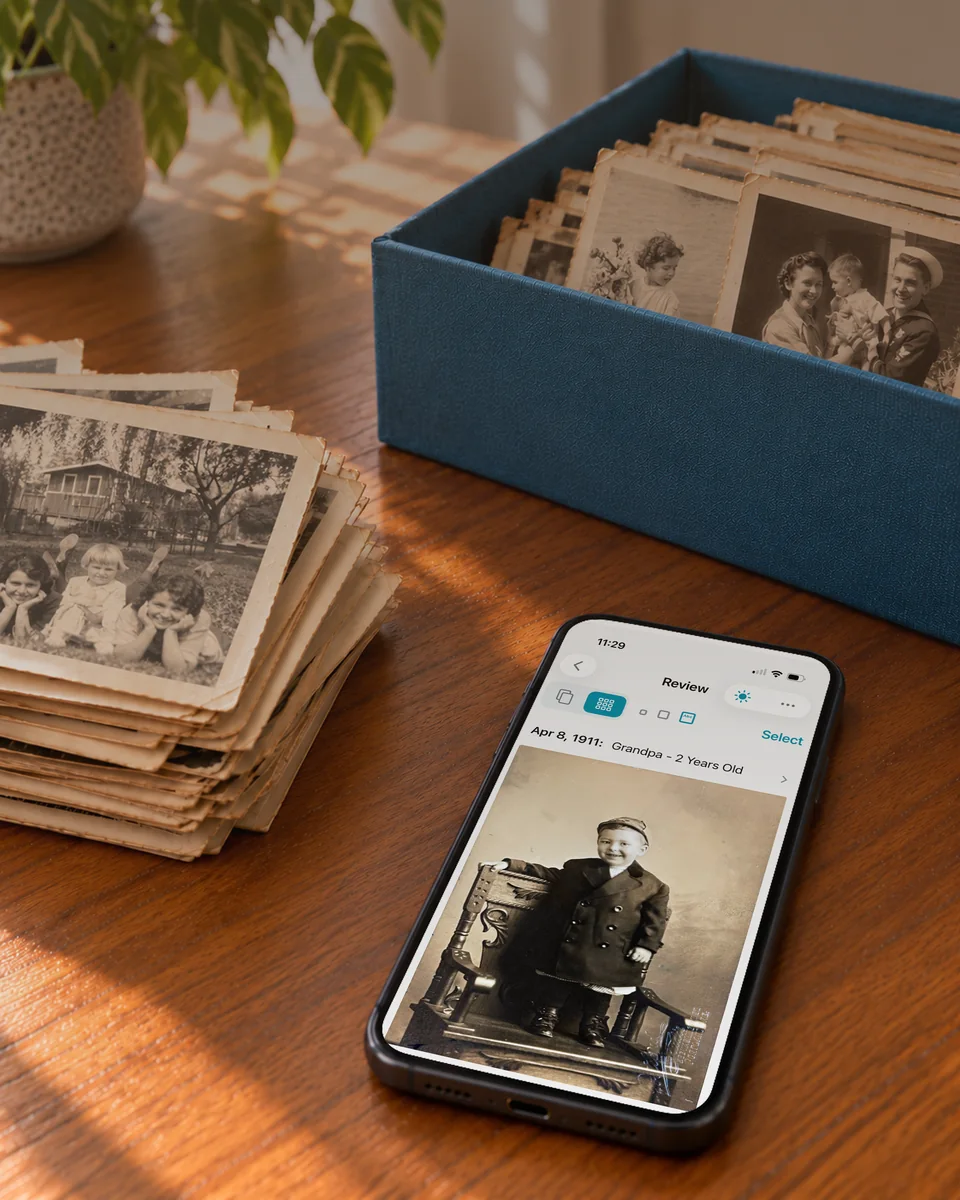
Apr 8, 1911
Grandpa – 2 years old
How it works
Scan a whole stack
in three easy steps
No flatbed scanner, no fiddly cropping. Just your iPhone and a table.
Capture
Lay your prints on a table and photograph them one after another.
Review
Schubox crops, straightens and enhances each one. You add dates and captions.
Save to your library
Save everything to Apple Photos in one tap, or share to any app.
Automatic cleanup
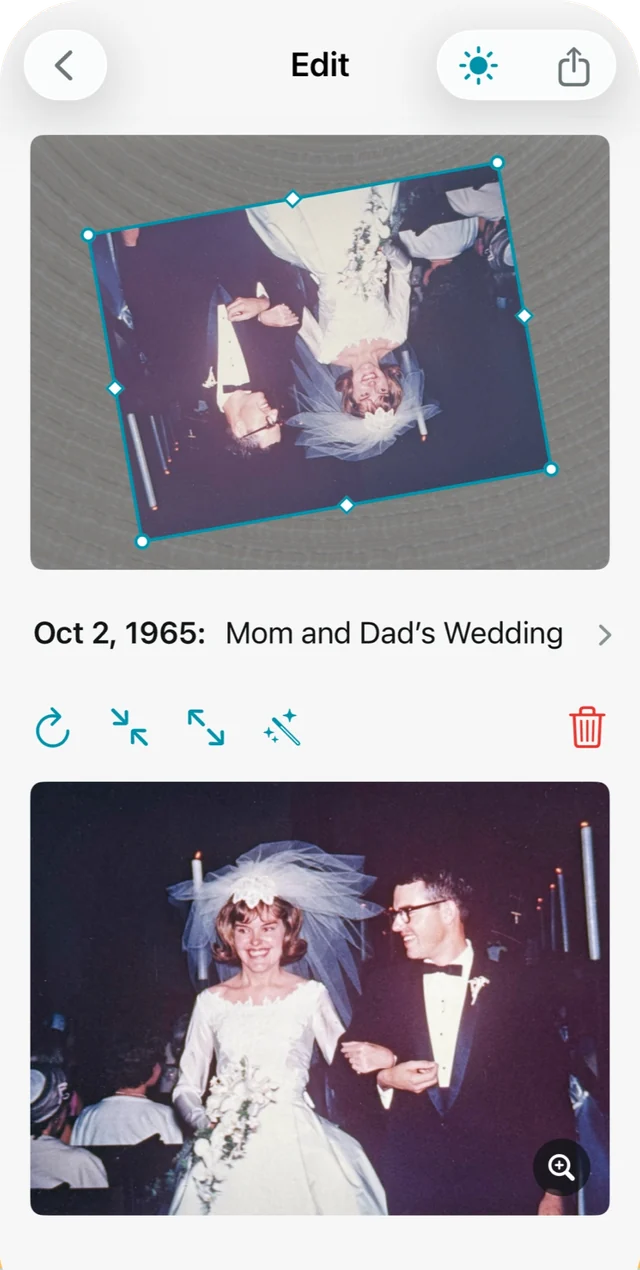
Cropped, rotated, and enhanced automatically
Schubox finds each print’s edges, trims away the background, squares up the perspective and turns the photo the right way up — so all that’s left for you is to review.
- Edge detection and perspective correction
- Upside-down and sideways prints turned upright
- Faded colors, restored
Batch scanning
From shoebox to your photo library
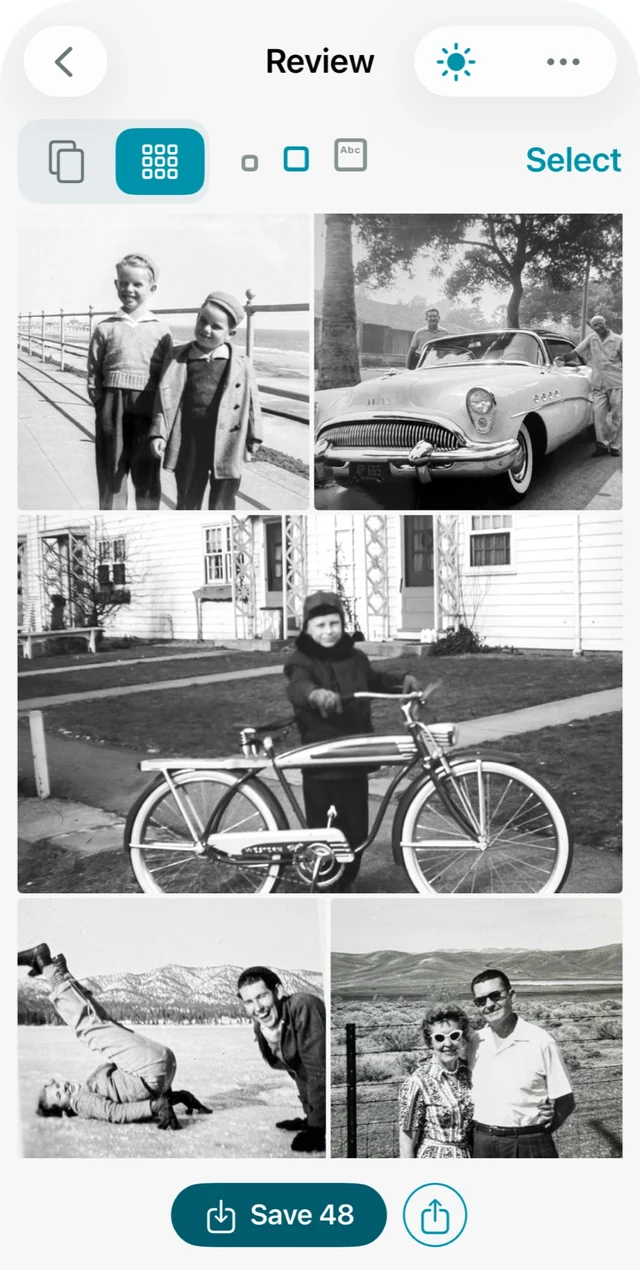
Work through a whole box in one sitting. Review every scan in a grid, fix the few that need it, then save the lot in a single tap.
- Option to shoot print after print automatically
- Review the whole session at a glance
- Save everything to Apple Photos at once
Color restoration
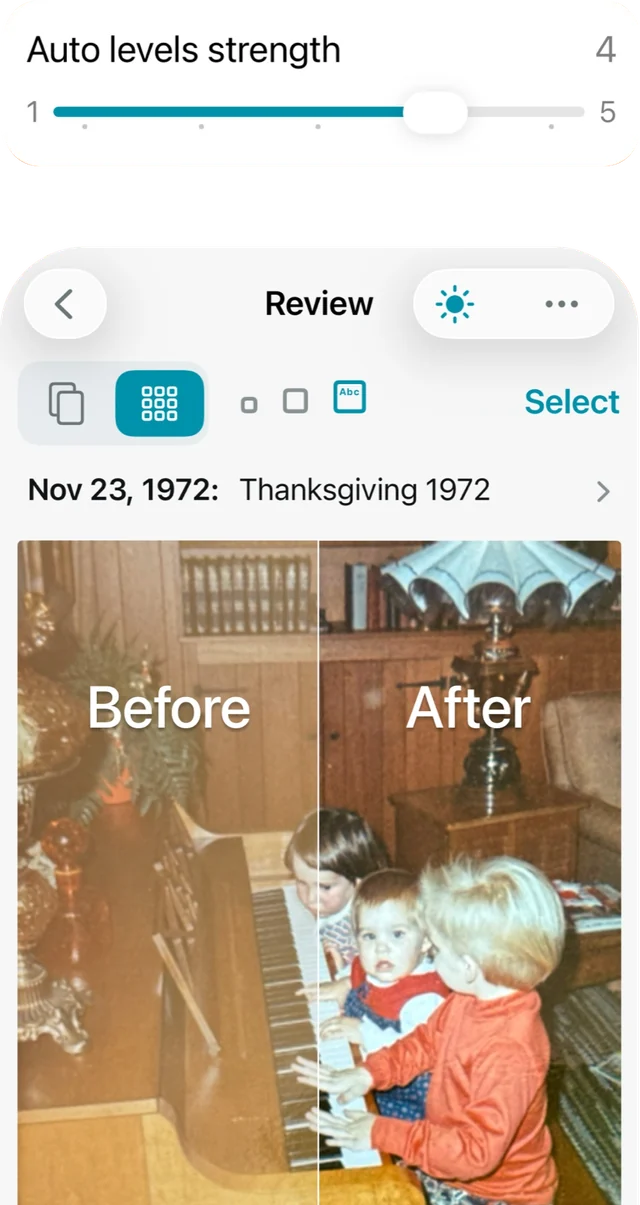
Bring back faded color. You’re in control.
Decades in a drawer wash prints out. Auto levels restores faded contrast and corrects color casts — and you choose how strong it is.
- Adjustable auto-levels strength
- Remove a white border, or add a fresh, even one
Dates and captions
Add captions and dates in seconds
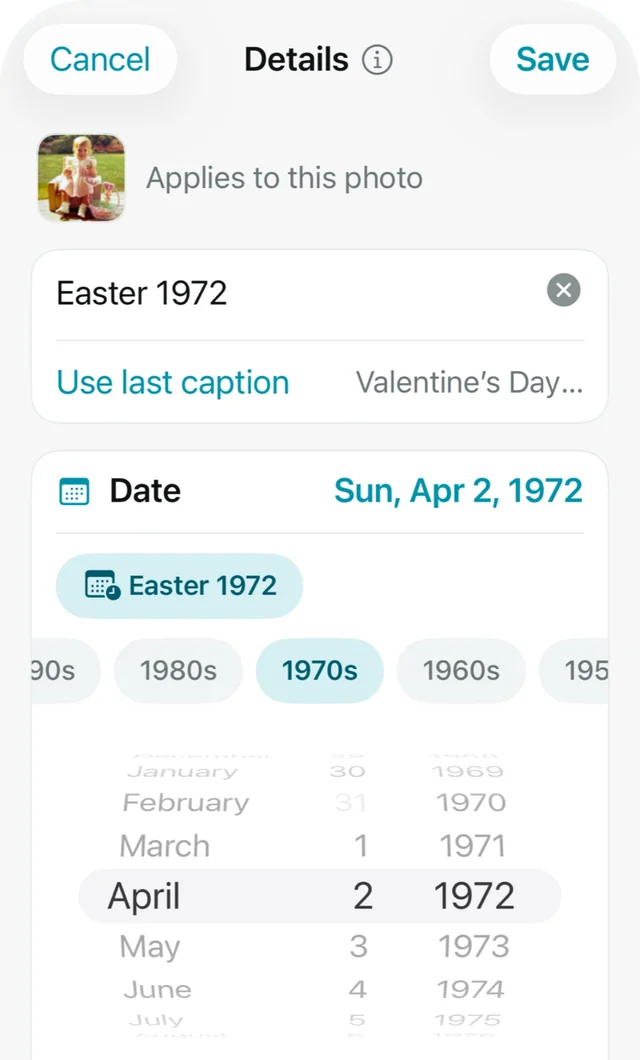
Type “Easter 1972” and Schubox finds the date. Set a caption once for a whole stack, or reuse your last one with a tap.
- Holidays, seasons, and months understood as dates
- Quick decade picker when you only know the rough timeframe
- Apply to one photo or the whole batch
Your library, your way
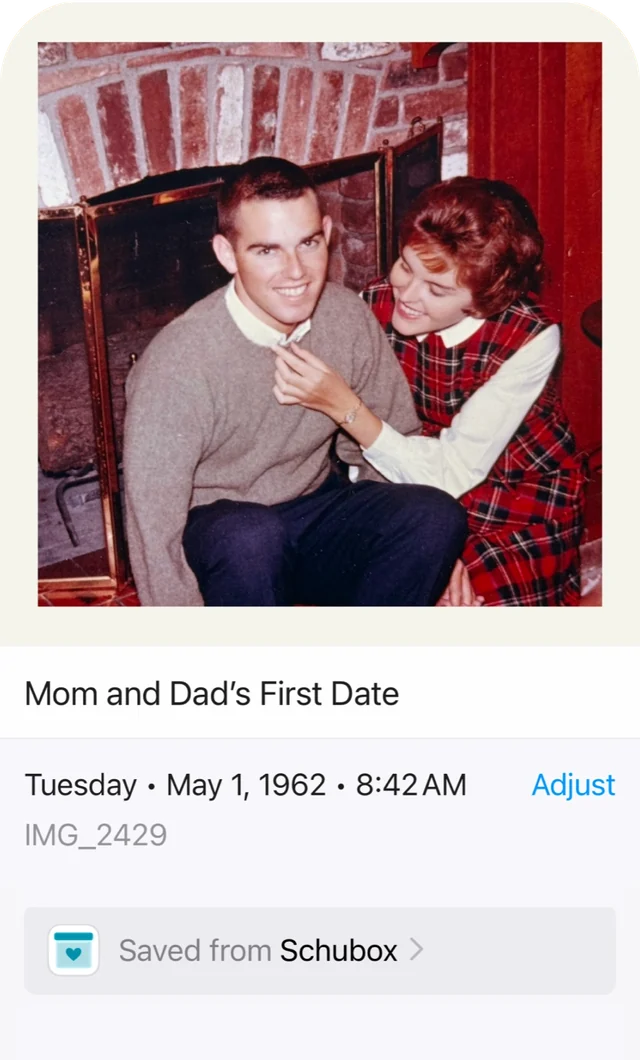
Save in your own photo gallery
Every photo carries its date and caption with it, saved right inside the file. Apple Photos, Google Photos and Lightroom file “Christmas 1975” in 1975 — not on the day you scanned it.
- Photos land in the right year on your timeline
- Captions are searchable in Apple Photos
- No new app to keep your memories in
Kids’ artwork
Save the art, not the pile
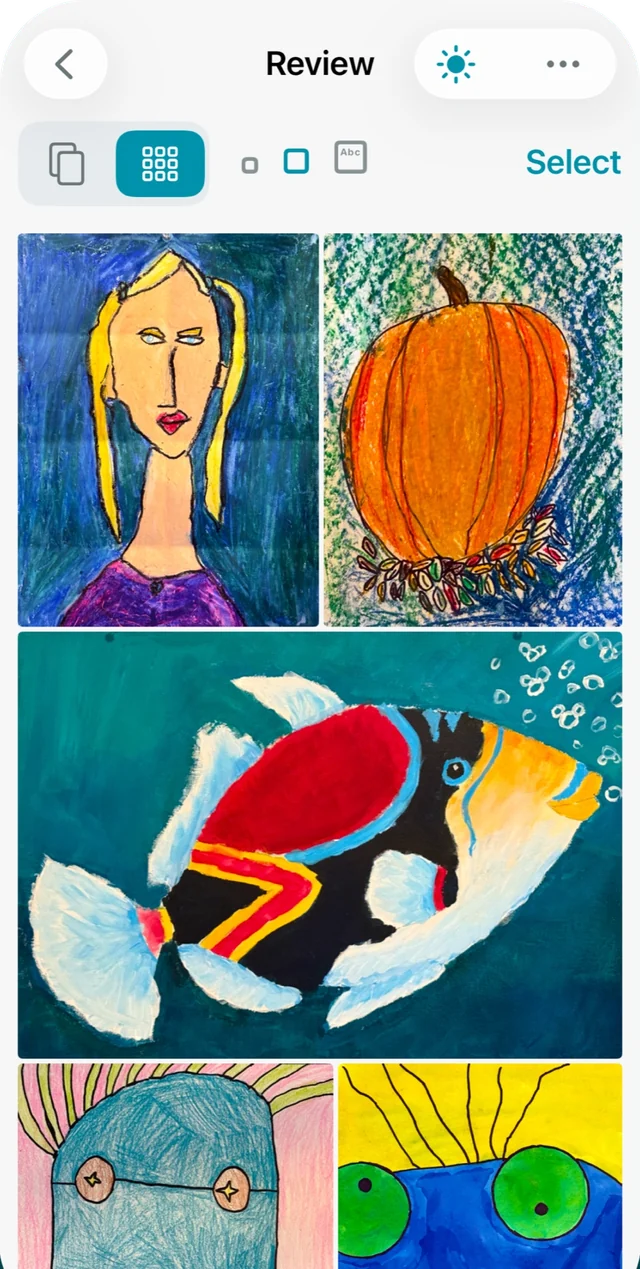
The fridge is full and the art folder is overflowing. Scan every painting and drawing in minutes, keep them all forever, and finally clear the counter.
- Works on drawings, paintings and crafts on paper
- Caption each piece with the artist, age, and grade
- Easy to share with grandparents
Precision crop
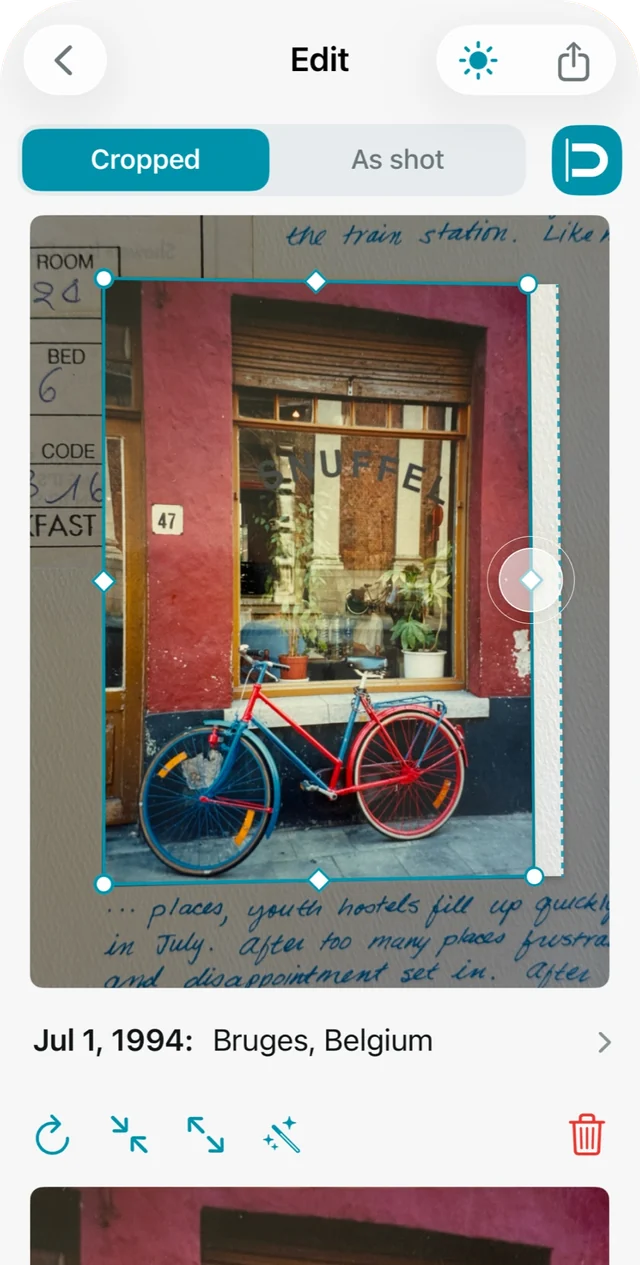
Drag an edge.
It snaps to the print.
Busy tablecloth? Overlapping prints? Drag any edge and it snaps right to the print’s border.
- Smart edge snapping
- Cropped and As shot views
- Tap to nudge the cropped border in and out
Private by design
Your family photos stay yours
No account
Open the app and start scanning. No sign-up, no email, no password.
Stays on your iPhone
No cloud storage. Your photos never leave your phone until you save them where you choose.
Pay once
One price for unlimited scanning. No subscription, no renewals, no surprises.
Works with your apps
Save to Apple Photos, or share to Google Photos, Lightroom and more.
Pricing
Try it free.
Pay once if you love it.
Every feature is included from your very first scan.
Free trial
See what Schubox does with your prints
$0
- 25 photo scans
- Every editing feature
- Save and share your scans
Unlimited
For the whole shoebox, and the next one
$9.99
- Unlimited scanning, forever
- Every feature, every update
- No subscription, ever
FAQ
Questions, answered
How do I digitize old photos with my iPhone?
Lay your prints on a table and photograph them with Schubox. It finds each print’s edges, crops away the background, straightens the perspective and turns it the right way up. Add a date and caption, then save to Apple Photos or your favorite photo library.
Do I need a flatbed scanner?
No. Schubox uses your iPhone camera, so you can work through a whole shoebox at the kitchen table.
Will my scans show the right date in my photo library?
Yes. The date and caption you add are saved inside each photo, so Apple Photos, Google Photos and Lightroom place it in the year it was taken, not the day you scanned it.
How much does Schubox cost?
Your first 25 scans are free. Unlimited scanning is a one-time $9.99 purchase. There’s no subscription.
Can I scan my kids’ artwork too?
Absolutely. Drawings and paintings on paper are cropped and straightened just like prints, so you can keep every piece without keeping the pile.
Do I need an account? Where are my photos stored?
No account is needed and there’s no cloud storage. Your photos stay on your iPhone until you save or share them where you choose.
Which iPhones does Schubox work on?
Schubox runs on iPhones with iOS 17 or later.
From the creator
Built for my family. Now it’s for yours.
I created Schubox after a brush fire near our home made me realize how many irreplaceable family photos I had never digitized. Thousands of scans later, I’m excited to help others preserve their own collections.

Kristen, creator of Schubox

Ready to empty the shoebox?
Start with 25 free scans. Unlock unlimited scanning for $9.99, one time.

For iPhone · iOS 17 or later